
Best React Rich Text Editors for Enterprise Applications in 2027
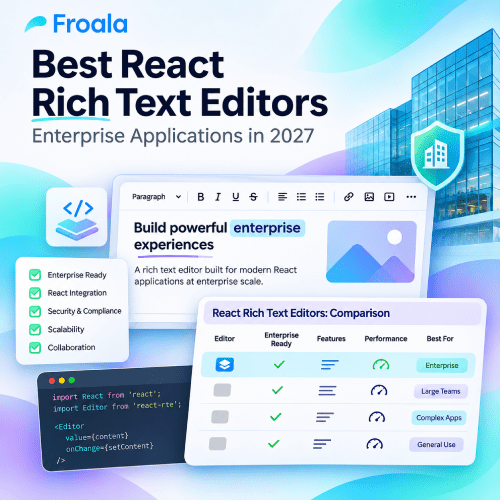
Quick answer: The best React rich text editor depends on the editing experience required for your team and your enterprise. Froala is considered a strong choice for complete enterprise editing with self-hosting, AI, collaboration, and predictable licensing. CKEditor 5 suits complex, collaborative workflows. Lexical and Tiptap are better suited for teams building highly customized user experiences.
Adding basic rich text editing to a React application can be relatively straightforward. Making that editor enterprise-ready is much harder. Your choice of editor affects security, application architecture, engineering effort, and long-term total cost of ownership. In this article, we evaluate seven React rich text editors against enterprise requirements rather than comparing them by feature counts or GitHub stars.
| Editor | Best for | React integration | UI model | Collaboration | AI | Deployment | License model |
|---|---|---|---|---|---|---|---|
| Froala | Complete editing, fast delivery | Official wrapper | Ready-made + headless | Built in; you run the backend | Built in; provider required | Self-hosted | Commercial (flat fee) |
| CKEditor 5 | Collaborative documents | Official component | Ready-made | Paid add-on (Professional+) | Paid add-on (credits) | Cloud / on-prem (Custom plan) | GPL or commercial |
| TinyMCE | Plugin-based editing | Official wrapper | Ready-made | Review tools (Professional+) | Paid add-on (credits) | Cloud / self-hosted (Enterprise for commercial) | GPL or commercial |
| Tiptap | Custom experiences | Official React package | Headless | Paid (Cloud documents) | Paid add-on (beta); your own model | Self-hosted editor; cloud or on-prem platform | MIT core + paid |
| Lexical | Building an editing product | Official React bindings | Framework (no UI) | Yjs bindings; you run the server | Build yourself | Self-hosted | MIT |
| Syncfusion | Existing Syncfusion stack | Native component | Ready-made | Not listed | Available (popular AI providers) | Self-hosted | Commercial (per developer) |
| Quill | Lightweight editing | Community wrapper | Ready-made | Build yourself | Build yourself | Self-hosted | BSD-3-Clause |
What Makes a React Rich Text Editor Enterprise-Ready?
Here are some of the qualities that make a React rich text editor enterprise-ready:
React and TypeScript integration
Typed APIs, an official wrapper, and support for the latest React versions would lower the upgrade friction.
Security and sanitization
Client-side filtering alone is not enough. Look for:
- Support for secure file uploads
- Server-side sanitization
- Content Security Policy compatibility
- XSS protection
- HTML filtering and cleanup of content pasted from Word or the web
Accessibility
Check whether the editor supports documented WCAG alignment, RTL and localization, screen-reader compatibility, ARIA roles, and keyboard navigation.
Collaboration and review
The editor should also be capable of maintaining version history, suggestions or track changes, comments, and simultaneous editing.
Customization and extensibility
Look for flexible APIs that support custom toolbars, plugins, commands, editing behavior, and, where relevant, custom content structures without requiring changes to the core library.
AI capabilities
AI capabilities that can be add-on, built-in, or something that your team can easily integrate within their model.
Licensing and TCO
The editor should use flat, per-seat, or per-load pricing that scales economically.
Best React Rich Text Editors for Enterprise Applications in 2027
1. Froala
Overview
Froala is a feature-rich WYSIWYG rich text editor with a ready-made interface, an official React wrapper, and TypeScript support. It is self-hosted, so your application content and editor infrastructure remain within your environment.
Recent releases have expanded Froala beyond a traditional WYSIWYG editor. Version 5.4.0 introduced AI Chat, reviewable AI edits, and Markdown APIs. And v5.5.0 added AI image generation and an initial headless mode that lets teams build their own interface on top of Froala’s editing engine.
Best for
Froala is well suited to SaaS products, CMSs, CRMs, and knowledge platforms. It is also suitable for the internal tools that need a production-ready editing experience without requiring teams to build the entire editing layer from scratch.
Pros
- Ready-made editor UI with an official React wrapper and TypeScript support
- Headless mode available for teams that want to build a custom editor interface
- Real-time collaboration, comments, suggestions, version history, and presence included with every license
- Suggestion mode tracks text edits as well as changes to images, videos, links, code snippets, and drag-and-drop actions
- Reviewable AI edits let users accept or reject AI-generated changes before applying them
- Provider-agnostic AI Assist supports external providers such as OpenAI, Anthropic, Gemini, Groq, or a custom backend
- AI Chat, dictation, inline autocomplete, and AI image generation are available through AI Assist
- Built-in Markdown APIs support loading, editing, and saving Markdown content
- Improved Word import support works with modern module-based build tools
- Flat licensing with no per-user or per-editor-load fees
- Annual and lifetime license options are available
- Commercial support is available, with higher-tier support options
Cons
- A commercial license is required, and SaaS or OEM distribution requires the Enterprise plan
- Headless mode is still an initial release and does not yet support every Froala feature, including collaboration
2. CKEditor 5
Overview
CKEditor 5 is a mature editor built with TypeScript and a plugin system, letting you install only what your project requires. Its official React integration makes setup straightforward. The core remains open source under GPL 2+, provided you comply with the license terms. You can run it through the cloud or host it yourself under either the GPL or a Custom commercial plan.
Best for
CKEditor 5 suits document-focused products built around review by multiple authors.
Pros
- Teams can write, comment, track edits, and review earlier versions in the same editor instead of switching between tools.
- SOC 2 Type 2 compliance gives security teams a defined standard for evaluation.
- Content filtering is built in, helping remove unwanted markup.
- The editor also supports Content Security Policy, so it can operate under strict browser security rules.
Cons
- Collaboration is a paid add-on on the Professional plan but is included with the Custom plan.
- AI also requires a separate paid add-on.
- Cloud pricing depends on editor loads, so heavier traffic means higher costs.
- The architecture runs deep, so expect more setup and configuration at the start. Your total cost will depend on the add-ons you choose together; price that combination before committing.
3. TinyMCE
Overview
TinyMCE provides a WYSIWYG editor with an extensive plugin library, along with the @tinymce/tinymce-react wrapper. It can be loaded from Tiny Cloud with an API key, or hosted independently with a license key. The self-hosted version is open source under GPLv2+, while proprietary products require a commercial key. All plans support keyboard navigation and screen readers.
Best for
TinyMCE suits teams that need a familiar editor they can tailor to their workflow, particularly when writers regularly paste material from Word and Google Docs.
Pros
- Its plugin system lets you add the features you actually need.
- A large developer community can help you find solutions when problems come up.
- There’s a free tier, so you can try it before committing to a paid plan.
- PowerPaste comes with the Professional plan and cleans up formatting copied from Word, Google Docs, or Excel.
Cons
- Some helpful tools are limited to higher-priced plans, so confirm that your chosen plan covers the features you need.
- Comments come with the Professional plan; suggested edits and revision history are reserved for Enterprise.
- AI tools are sold separately through credits, which means writing help adds to the bill as it is used.
- Each additional 1,000 editor loads costs $40 in cloud usage.
- Running a paid version on your own servers requires a quote from sales.
4. Tiptap
Overview
Tiptap is an open-source editing framework built on ProseMirror. But it doesn’t provide a ready-made interface. Instead, you can create one with @tiptap/react, the useEditor hook, and more than 100 extensions. There’s a free basic template for getting started; the paid Notion-like template offers a fuller editor. Collaboration, comments, and document history require Tiptap’s paid cloud documents, while AI agents depend on the separate AI Toolkit, which remains in beta.
Best for
Tiptap works well for teams building a custom or Notion-style editor, especially when they have a strong front-end team ready to handle the implementation.
Pros
- Your team controls the editor’s appearance and behavior, making it easier to fit the product closely.
- Its core is free under the MIT license.
- A sizable community has gathered around it: the GitHub repository has 38.7k stars, and Discord has about 6k members.
- On the hosted platform, SOC 2 Type II and GDPR compliance come standard; Enterprise customers can also get HIPAA compliance.
- Paid plans come with a 30-day free trial, and no credit card is required.
Cons
- Expect to spend time on setup; nothing works right away.
- Track Changes requires a separate add-on priced at $249 per month.
- Platform plans range from $49 to $999 per month and include between 2 and 10 developer licenses.
- Access to AI agent tools requires a quote from sales.
- Tiptap’s calculator can help frame the decision, but its figures are based on Tiptap’s own estimates. Check them against what your team actually spends.
5. Lexical
Overview
Lexical, Meta’s open-source editor framework, is written in TypeScript. The core can run with any framework, and @lexical/react adds official React bindings. It handles the document model; the toolbar and surrounding interface remain your responsibility. Plugins can add features such as links, lists, history, Markdown shortcuts, or tables. Yjs bindings support real-time collaboration, though you must run the sync server yourself.
Best for
Lexical works well for companies whose product is the editor itself, especially when they have a dedicated team to build and maintain it.
Pros
- Its MIT license carries no licensing fee.
- Meta and Bloomberg engineers maintain the project with help from community contributors.
- Screen-reader support and WCAG practices provide a solid accessible starting point.
- Through its Yjs bindings, Lexical supports collaborative undo and remote cursors.
Cons
- Only y-websocket has official support as a connection provider.
- Comments are not part of the core package; the Playground plugin merely demonstrates how they might work.
- Your team will need to create the AI tools, governance rules, and review process itself.
- Since no commercial support is listed, help is limited to Discord and GitHub.
6. Syncfusion
Overview
Syncfusion’s Rich Text Editor is a React web component, installed through @syncfusion/ej2-react-richtexteditor. It handles HTML and Markdown, and its shared themes and design tokens let it match other Syncfusion components without additional CSS. An AI assistant can also summarize, rewrite, or translate content through popular AI providers.
Best for
Syncfusion suits teams already working with its grids, charts, and forms.
Pros
- HTML sanitization helps keep content clean, while XSS prevention and Content Security Policy support add protection.
- When users paste material from Excel, Word, or Google Docs, the cleanup tools help remove unwanted formatting.
- Its documentation cites support for WCAG 2.2, Section 508, WAI-ARIA, right-to-left (RTL) layouts, keyboard navigation, and screen readers.
- Companies with less than $1 million in annual revenue and no more than five developers may qualify for a free Community License.
Cons
- Licensing costs apply to each developer annually, with a one-year minimum commitment.
- At the time of writing, the standalone SDK costs about $959 per developer; the complete UI Component Suite costs about $1,199.
- On its own, the editor offers less value than it does within the full Syncfusion suite.
- Product pages do not mention comments or track changes. Confirm with Syncfusion that these features are available before relying on them.
7. Quill
Overview
Slab maintains Quill, a free, open-source editor. Its 2.0 release is written in TypeScript and begins with a small core that you can extend with modules when needed. Content is stored as Delta, a JSON format describing both the document and its changes. That structure avoids many common HTML problems and fits operational transformation, a method used for real-time collaboration.
Best for
Quill works well for simple content fields that need a free, lightweight editor.
Pros
- Official TypeScript definitions come with the package.
- Its BSD-3-Clause license also permits commercial use without licensing fees.
- A built-in toolbar and themes let you assemble a basic editor quickly.
- Delta simplifies content storage and version comparisons.
Cons
- Quill does not provide an official React wrapper. Developers need to integrate Quill directly using its official React example or rely on a community-maintained wrapper.
- Teams still using Quill 1.x should plan for upgrade work. Quill 2.0 dropped Internet Explorer support and removed or changed several older configuration options and APIs.
- Collaboration, review workflows, and AI features are not built in. Teams need to build or integrate the required editor-side features and backend infrastructure themselves.
- Support comes mainly from the community, and accessibility features are basic.
How Should Enterprise Teams Choose a React Rich Text Editor?
Complete enterprise editors
If you want fast shipping with predictable vendor support and UX, choose editors with a complete package. Some of the common options are Froala, TinyMCE, CKEditor 5, and Syncfusion. You need less effort to implement them.
Explore more here.
Headless editor platforms
If you want the editing experience to feel unique and you have a strong frontend team, TipTap would offer the control you want.
Low-level editor frameworks
Choose Lexical if you want full control over the editor’s architecture and the editor is a core part of your product.
Which editor fits each enterprise use case?
| Enterprise use case | Strong candidate |
|---|---|
| SaaS app needing a complete editing experience | Froala |
| Complex collaborative document workflows | CKEditor 5 |
| Highly customized or Notion-like editing | Tiptap |
| Build-your-own editing platform | Lexical |
| Existing enterprise UI component-stack customer | Syncfusion |
| Lightweight open-source editing | Quill |
| Mature configurable WYSIWYG ecosystem | TinyMCE |
Why Total Cost Matters More Than the License Price
Editor TCO = license + implementation + customization + security work + integration + QA + upgrades + ongoing maintenance
Having a free license does not mean that your editor will be low cost. Once your team creates its own review workflow, toolbar, regression suite, and sanitization pipeline, an open-source editor will turn out to be the most expensive option. However, a commercial editor can save you costs and months of work.
So, when you evaluate enterprise rich text editor software, price every line of the equation, and use these questions to ask a rich text editor vendor to uncover the rest.
And if you want to see the integration effort first-hand, you can integrate a rich text editor in React with TypeScript or add a React WYSIWYG editor.
Conclusion
So which editor is suitable for you? It depends on the requirements of what you are building. Tiptap or Lexical gives you control if the editor is the product itself. However, if you’re looking for collaborative document workflows, then CKEditor is worth a serious look. Finally, if you are looking for a self-hosted and complete React editor with AI collaboration, predictable licensing, and ready-made components, then Froala can be your best choice.
Try Froala in your React application.
FAQs
What is the best rich text editor for React in 2027?
The best rich text editor for React depends on your product requirements and how much of the editing experience your team wants to build. Froala is a strong option for teams that want a complete, production-ready editor with lower implementation effort. CKEditor 5 is well suited to complex collaborative and review workflows, while Tiptap and Lexical are better choices for highly customized editing experiences that require more engineering control.
What is the best enterprise rich text editor for React?
Look for features such as maintainability, licensing, collaboration support, and security. If you want a complete package, top options to evaluate include Froala, TinyMCE, Syncfusion, and CKEditor 5.
Should I use a headless or ready-made React rich text editor?
If you are looking for consistency and speed, choose a ready-made editor. Choose headless when a differentiated UX justifies the extra engineering ownership.
Is Tiptap better than Froala for React?
Neither of these options is better than the other. If you want more control, then choose Tiptap. If you are looking for something out of the box, then choose Froala. For a closer look, read our Froala vs Tiptap comparison.
What should enterprises look for in a React rich text editor?
Some main features that are important for enterprises to look for in a React rich text editor are security and sanitization. They should also look for React and TypeScript support, collaboration, accessibility, extensibility, AI, and total cost of ownership.
Should enterprises build or buy a rich text editor?
Enterprises should usually buy a rich text editor when editing is a supporting feature of the product, since this reduces development and maintenance work. Building makes more sense when the editing experience itself is a core product differentiator, and the team needs full control over the editor’s architecture, UI, and behavior.


No comment yet, add your voice below!